
grovia 2.0 - Onboarding
grovia now supports your complete project journey.
The platform structure reflects our property-centric approach, making it intuitive to manage multiple projects across your land.
From initial assessment through design and planning, to implementation (including both registration and planting) and finally, ongoing monitoring, maintenance, and reporting once your trees are in the ground.
Navigating the Platform; key pages
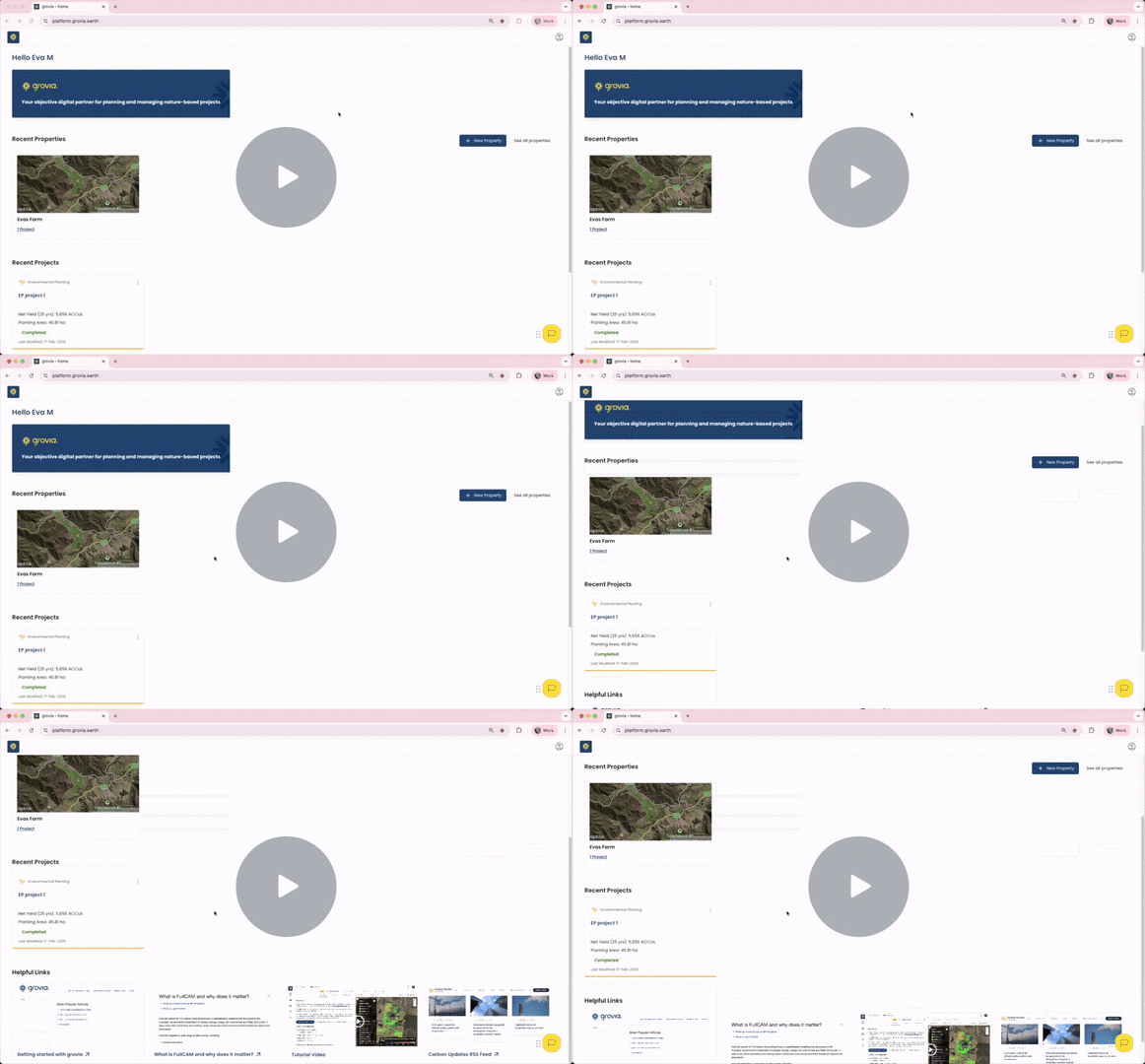
- Home Page
Your central dashboard displays all your properties and recent projects at a glance. Create new properties directly from here.
- Property Overview Page
View and manage all projects associated with a specific property in one place.
- Project Hub Page
Your command center for each project, showing clear next steps and providing access to phase-specific tools:
- Assess – Evaluate eligibility, feasibility, and viability
- Design – Plan your project layout and approach
- Plan – Prepare project registration and implementation
- Plant – Coming soon
- Monitor and Maintain – Coming soon
- Report – Coming soon

What's Changed? Your Quick Navigation Guide
As you explore the updated platform, you may be wondering where to find familiar tools and features. Here are answers to the most common questions:
- Where do I find my Assessment results?
- What's different in the assessment?
- Why do I see multiple properties in my account?
- Where's the Cost Calculator?
- Where can I work on Scenarios?
1/ Where do I find my Assessment results?
Select the project (or property) to navigate to your Project Hub. Access the Assess module to view your land assessment results.

2 / What's different in the assessment?
The assessment details are now organised around into 3 core criteria (eligibility, feasibility and viability), offering a more logical structure that helps you quickly evaluate your project and make informed decisions.
- Eligibility - Whether the land legally qualifies for carbon credits
- Feasibility - Whether the project can be practically implemented, including Site Information, Environmental, Biogeography information
- Viability - Whether the project can generate sufficient carbon credits to be economically worthwhile, including Carbon, Co Benefits and Cost Calculator.
3 / Why do I see multiple properties in my account?
We've migrated your existing projects to the new property-centric structure. Each project now sits within a property that shares its original name. You'll notice Land Assessment results requires an extra click or two to access, but in exchange, all your design and planning tools are now more readily available, streamlining your workflow as projects progress.
4 / Where's the Cost Calculator?
The cost calculator is now under 'viability' within the Assess module, where it sits alongside carbon yield and co-benefits to give you a complete picture of your project's financial position.

5 / Where can I work on Scenarios?
Scenario Builder is now in the Design module, where you can explore different project layouts and compare potential carbon yield against current land use revenue to find the optimal configuration.

The new grovia 2.0 - a clickthrough - Watch Video
Contact us directly if you need any support in navigating grovia, or if you are facing any difficulties creating a property or project.